
A journal for your ferments

Sauerkraut, kimchi, pickles, hot sauce: each jar gets a page of its own, from the day you salt it to the day you taste it. Brinebook works out the salt and keeps everything on your computer.

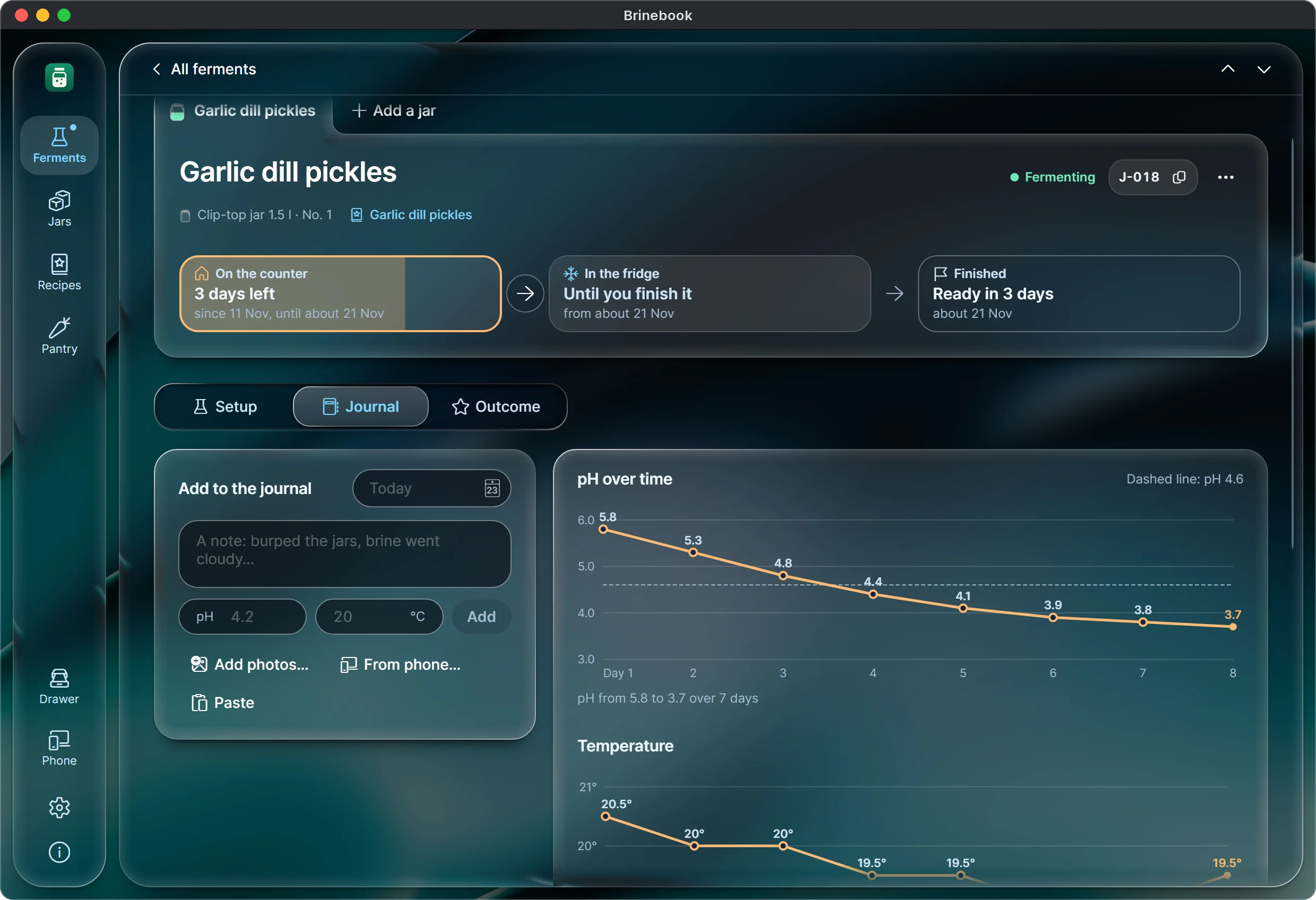
A jar of garlic dill pickles: its pH from day 1 to day 8, as Brinebook draws it.
Brinebook showing a jar of garlic dill pickles: its stages, the journal, and its pH falling from 5.8 to 3.7

From salting to tasting

  1. Day 0

    Weigh the jar, get the salt

    Put the full jar on the scale and type the number. The jar's own weight comes off, and Brinebook tells you how much salt goes in: 3 % until you change it, dry or as a brine.

  2. Day 1

    Its stages, counted for you

    Five days on the counter, then the fridge, or however you do it. Brinebook counts the days and tells you when a stage is over. The ferments that need you today come first.

  3. Day 4

    Notes, pH and photos

    Write what you see, with the day's pH and temperature, and watch both as lines over the weeks. Photos go on the same timeline: scan a QR code with your phone and take them. No app, no account.

  4. Day 8

    How it turned out

    Give it 1 to 5 stars and a few words. Or mark it failed, with what went wrong, so the next one goes better.

  5. Next time

    Make it again

    A ferment that turned out well becomes a recipe. Make it in other jars, and everything is worked out for their size.

Your jars and pantry

Every jar you own, with its size and empty weight, and what you put in them, ready as you type.

Kept on your computer

Your journal is one folder of plain files. Nothing is sent anywhere, and nothing you write is lost: there is a daily backup and a trash with Undo.

Made for everyone

Light, dark and high contrast, text up to 200 %, full keyboard and screen reader support. In English, German, Spanish, Russian, Ukrainian and Tatar.

Download Brinebook

Free for Windows, macOS and Linux.

Windows

Windows 10 (1809) or later, x64 and ARM64

Installer or portable .zip?

The installer adds Brinebook to the Start menu. No admin rights needed. Remove it in Settings ▸ Apps.

The .zip needs no install: unpack it and run Brinebook.exe.

They aren't signed yet, so Windows may warn you the first time: click More info, then Run anyway.

Both check for updates themselves. The Store version updates through the Store.

Version 1.2.0

macOS

macOS 12 or later, Apple Silicon and Intel

Opening the .zip version

The same app as the .dmg. Unzip it, move Brinebook to Applications and open it. If macOS asks, click Open.

Version 1.2.0

Linux

x64 or ARM64, X11 or XWayland

Version 1.2.0

Questions

Is it really free?

Yes. No account, no ads, no in-app purchases, and nothing collected.

Where is my journal kept?

In one folder on your computer, as plain files you can back up or copy as they are. Put the folder in a sync service you already use, and two computers share one journal.

Does it need the internet?

No. Photos from your phone come over your home network. The only thing that goes online is the check for updates, and you can turn it off.

What can I ferment with it?

Anything salted or brined: sauerkraut, kimchi, cucumbers, hot sauce, vegetables in brine. The salt can go on everything in the jar or into a brine.